
-
Lenovo Legion Go 8APU1 Black Screen After BIOS Update – Service Case
A Lenovo Legion Go 8APU1 arrived in my service center with a serious issue: the console powered on, but stayed on a black screen and did not POST. In short: power on, black screen, no image, no boot.
The owner told me that the problem appeared immediately after a BIOS update. After the update, the console no longer started normally.
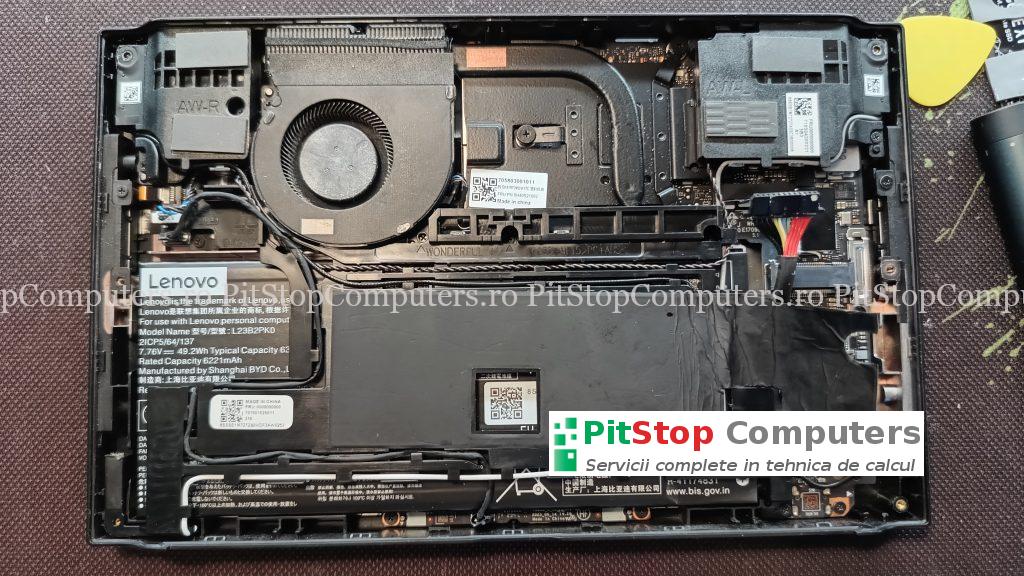
Initial Diagnosis
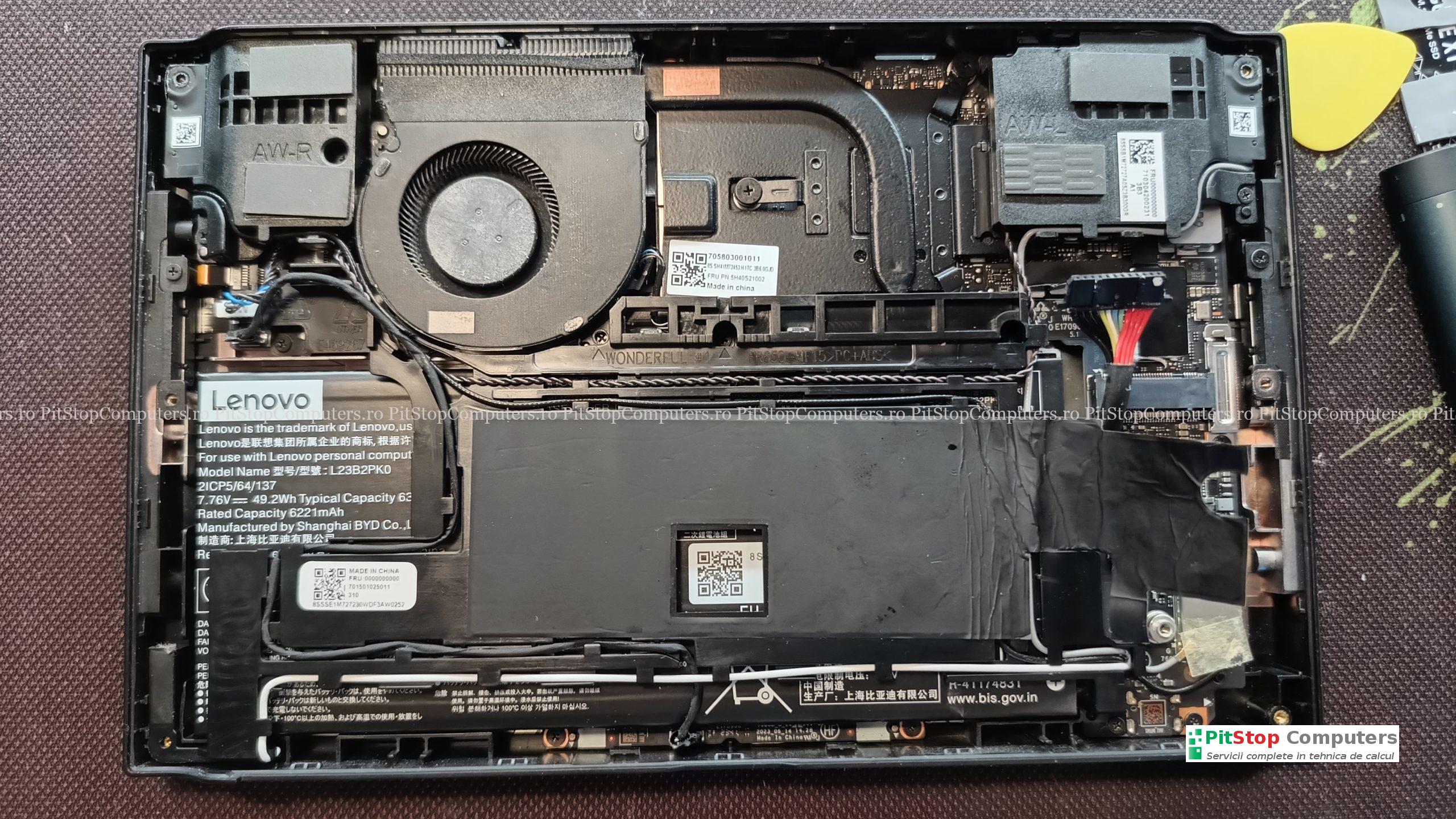
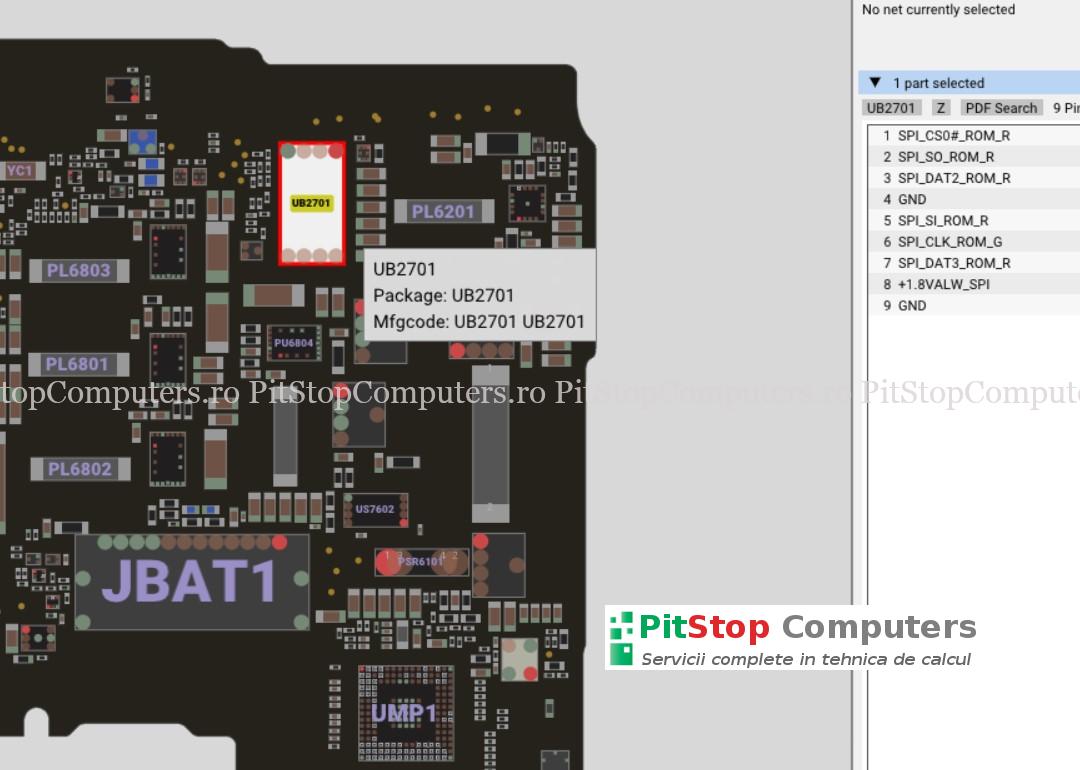
I disassembled the console and identified the 32 MB BIOS chip, located under the speaker on the side with the battery connector. The first step was to make a full backup of the existing content, even though the firmware appeared to be corrupted.
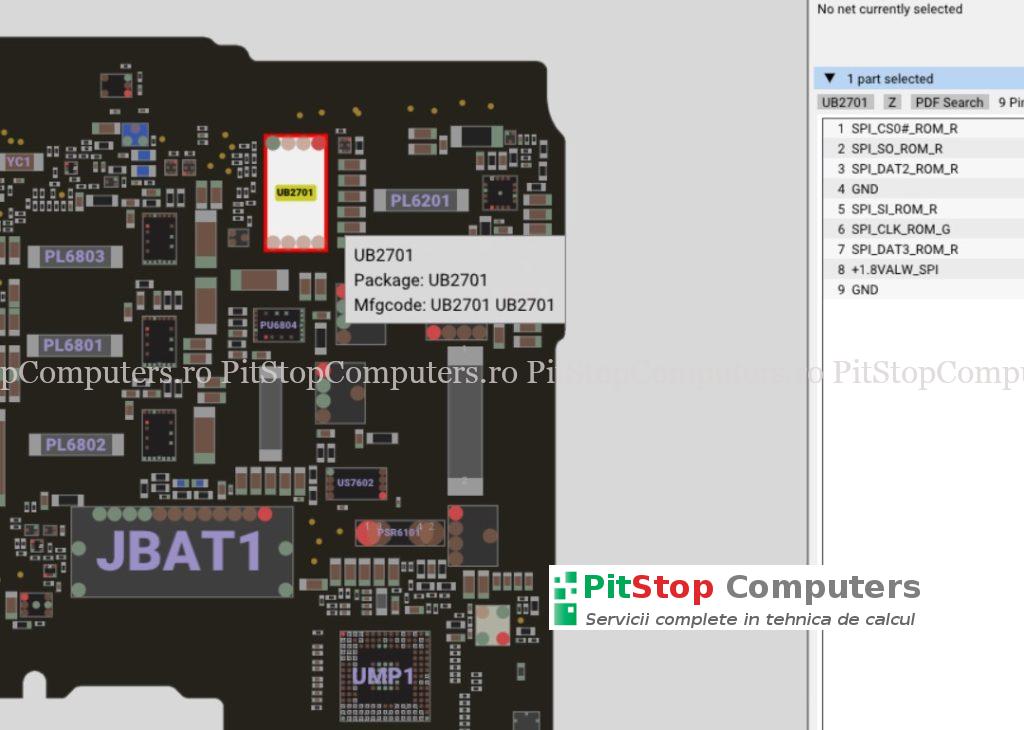
The backup is very important because unique board data can be recovered from it, such as:
- Serial Number
- MTM / MTU
- UUID or other identification data
- Windows key / COA key, where present in the dump
This data must not be lost, because using a clean BIOS without injecting the original board information can lead to other issues later.
First Attempt: Programming BIOS N3CN42WW
I downloaded the latest BIOS version available on Lenovo’s website, N3CN42WW. I extracted the package, cut out the required region, injected the identification data saved from the backup, and programmed the BIOS chip.
The programming process completed without errors, so I moved on to testing.
The result? No change. The console behaved exactly the same: it powered on, but remained on a black screen and did not POST.
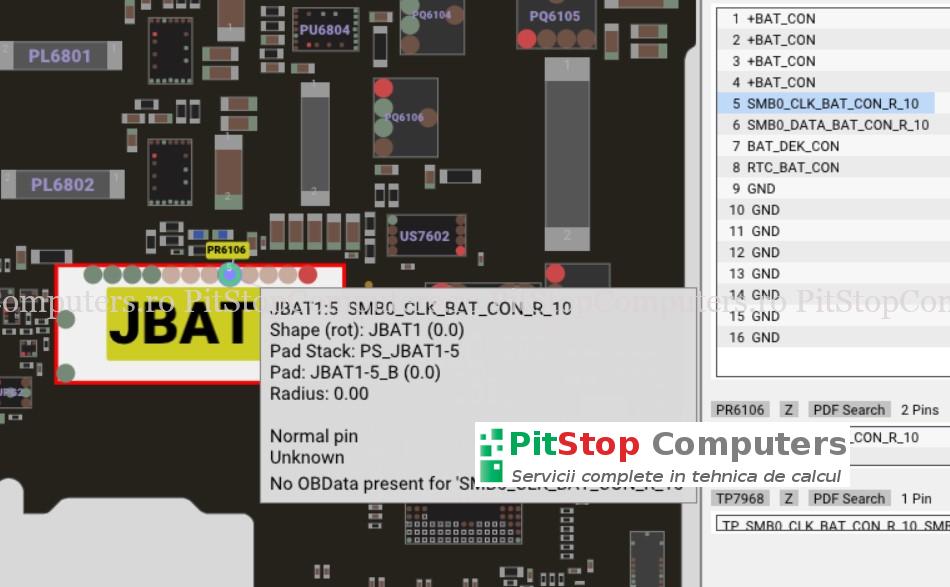
At that point, I also considered the possibility that the EC firmware, an ITE IT8218VG-256, might be corrupted. I extracted the EC section for programming as well. Since this is a BGA chip, programming it is not as straightforward as programming a classic SPI BIOS chip, but I was able to program it successfully via I2C.
I tested the console again, but unfortunately there was still no positive result.
Trying an Older BIOS Version
I was almost ready to give up, but I decided to try one more option: an older BIOS version.
I had N3CN39WW in my personal library, already cut and prepared for programming. I injected the original console data again:
- Serial Number
- MTU / MTM
- COA key
- other required identification data
I programmed the BIOS chip and tested the console again.
This time, the console POSTed.
That was the moment when the firmware-related issue was confirmed. I ran several additional tests, and the console appeared to work correctly.
Interesting Detail: The EC Stayed on N3CN42WW
One important detail I noticed after the console POSTed with the older BIOS version was related to the EC version, which I had programmed earlier via I2C.
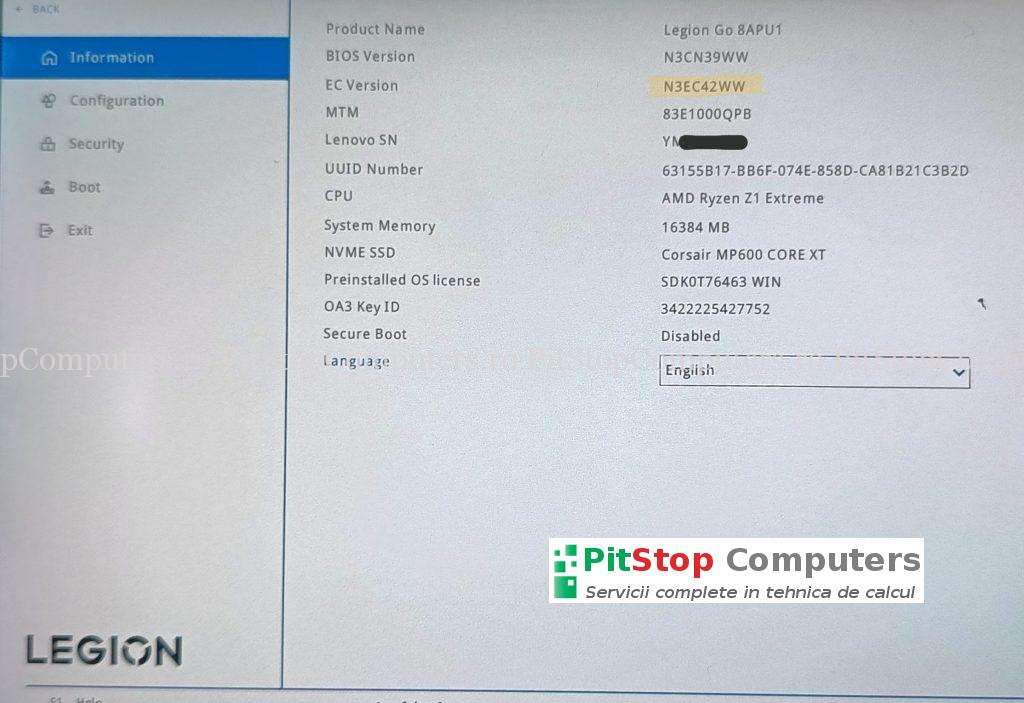
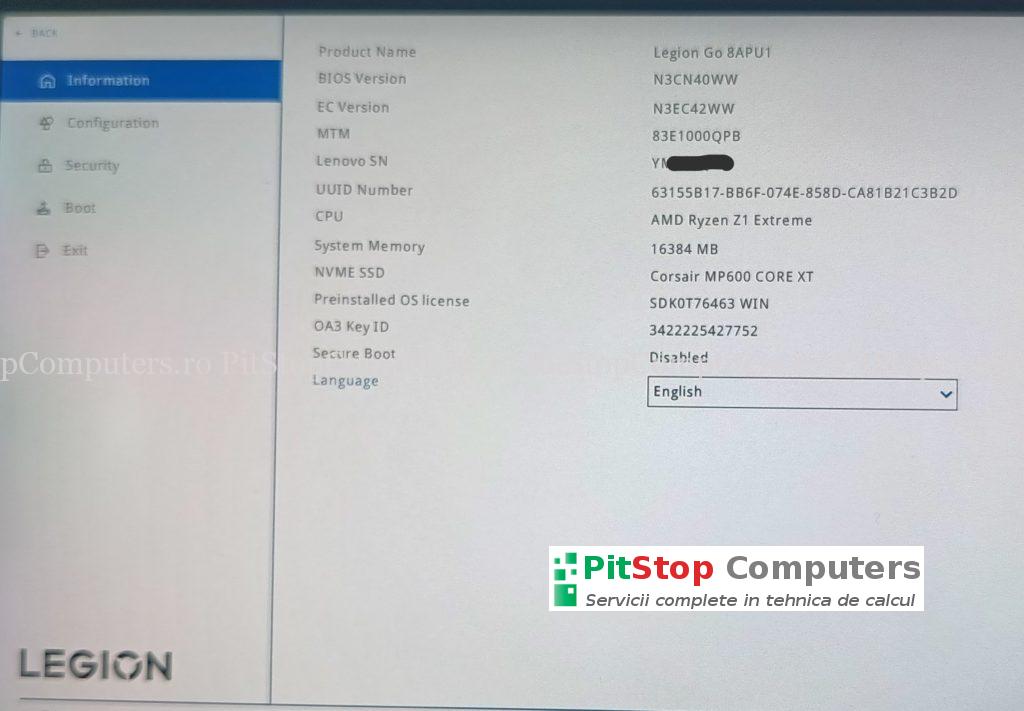
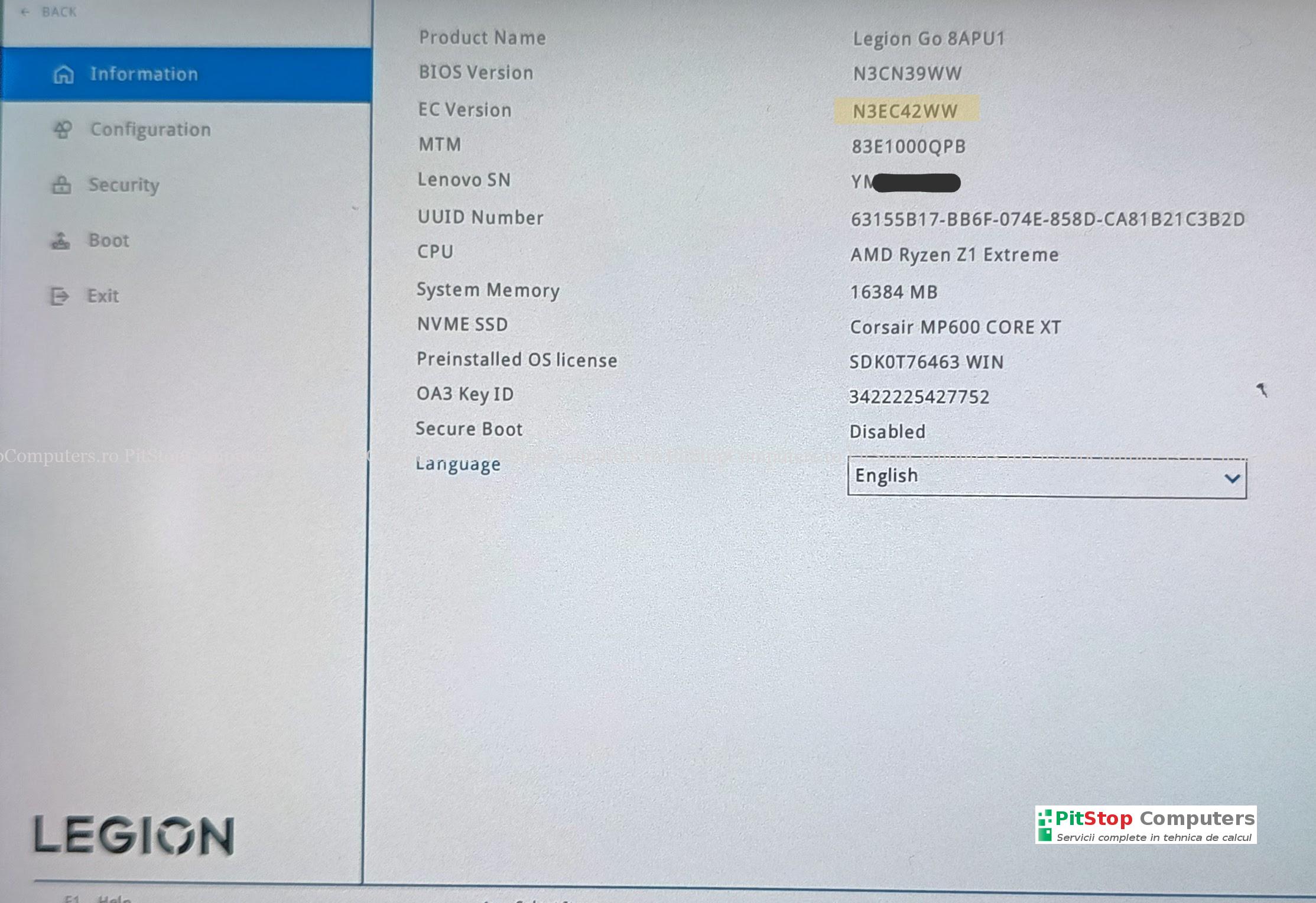
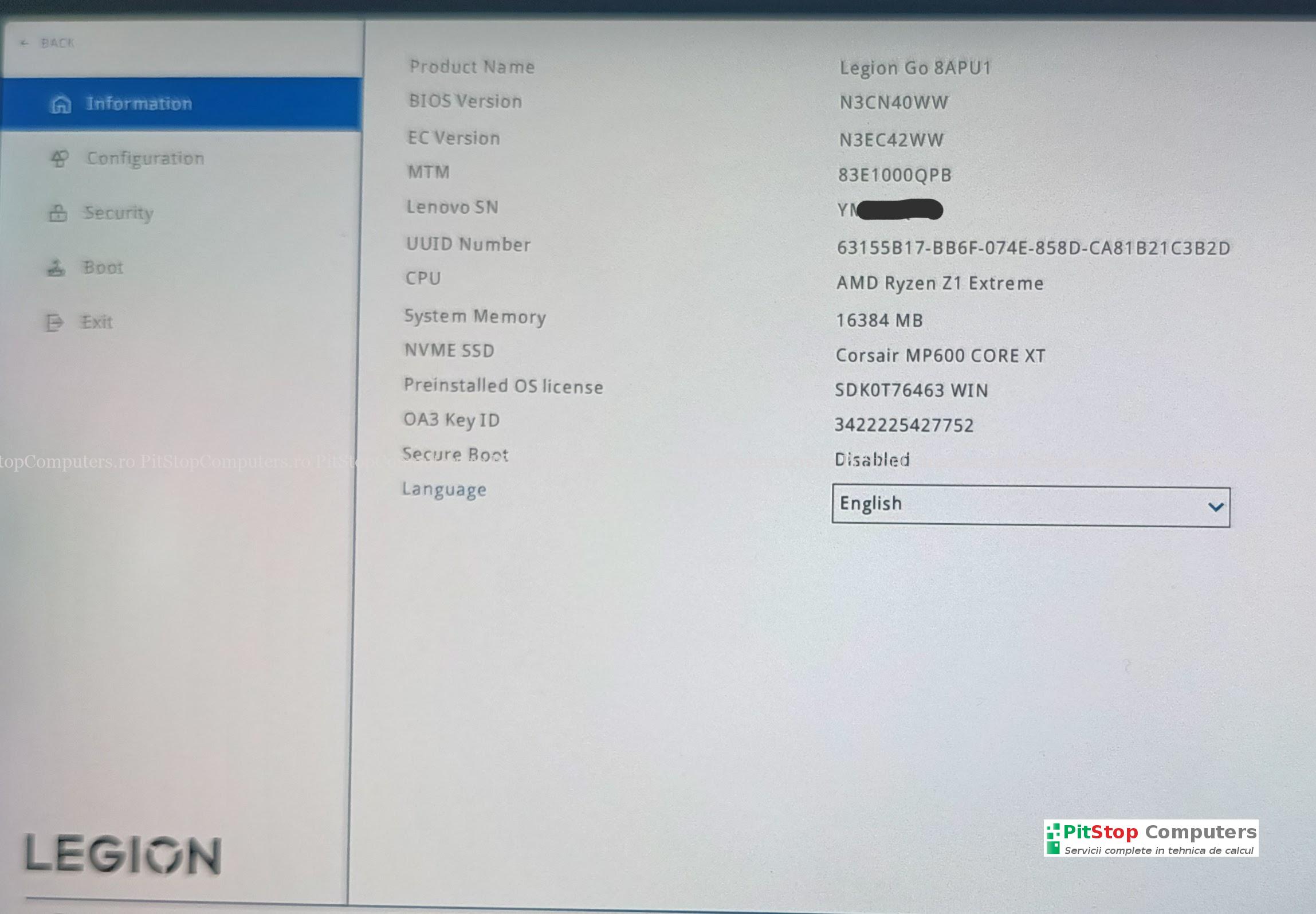
Although the programmed BIOS was N3CN39WW, in BIOS Setup, under the information section, the console displayed:
- BIOS Version: N3CN39WW
- EC Version: N3CN42WW
Initially, I suspected that the EC firmware might also have been corrupted or incompatible. However, the fact that the system started with BIOS N3CN39WW and EC N3CN42WW suggests that the issue was not caused by the EC firmware.
In this case, the problem seems to have been related only to the main BIOS part, version N3CN42WW.
Important Information From the Customer
After the console started, I spoke with the customer again. That is when I found out a very important detail: the update he performed had been from N3CN40WW to N3CN42WW.
The customer asked me if I could update it to the latest BIOS version myself, or if not, at least keep it on N3CN40WW.
Since the system powered on and was stable, I decided to test the official update. I ran the N3CN42WW.exe package directly from Windows, with the power adapter connected and the battery fully charged. I followed the normal update steps until the end.
After the restart following the update, the console no longer POSTed.
Again: power on, black screen, no POST.
The Obvious Question
At this point, the obvious question is: what is going on with this update?
I cannot claim that Lenovo did anything intentionally. However, from a technical point of view, the situation is at least unusual:
- the official N3CN42WW.exe update, run from Windows, led to a non-working state;
- the BIOS extracted from N3CN42WW and programmed directly onto the chip did not bring the console back to life, even though programming completed without errors;
- the console was recovered using an older BIOS version;
- another attempt with N3CN42WW.exe produced the same symptom again: power on, black screen, no POST;
- after repeating the recovery procedure with an older version, the console POSTed again.
What is certain is that, in this specific case, version N3CN42WW led to the same result multiple times.
Final Solution: Returning to N3CN40WW
I repeated the recovery procedure, but this time using BIOS version N3CN40WW.
I injected the original console data, programmed the BIOS chip, performed the necessary tests, and the console returned to normal operation.
I recommended that the customer avoid updating to N3CN42WW, at least until more clear information is available about this version or until Lenovo releases a newer version that resolves the issue.
Conclusion
This was a real service case involving a Lenovo Legion Go 8APU1 that no longer POSTed after a BIOS update from N3CN40WW to N3CN42WW.
The recovery was possible through external BIOS programming and by returning to an older BIOS version. The EC firmware remained at version N3CN42WW, while the console works correctly with BIOS N3CN40WW and EC N3CN42WW.
I cannot claim that version N3CN42WW affects all Lenovo Legion Go units. However, in this specific case, the same symptom — power on, black screen, no POST — appeared three times in connection with this version: twice after running the official N3CN42WW.exe package and once after programming the image extracted from the same package directly onto the chip, with no programming errors.
Do you have a Lenovo Legion Go with a black screen after a BIOS update? You can contact us for diagnosis and BIOS/EC reprogramming in our service center.



Can I mail my board from the States to have you reprogramm my legion go bios?
Hi !
It is difficult with the customs and transport fee’s in Europe
I’m sure you find someone in the US.
Did you update the BIOS?